AI integration for growing businesses, anywhere you operate
AI Demo Lab

See the workflow before you scope the build

A practical demo page for business owners who need to understand what Santi Ventures can actually automate: missed calls, lead follow-up, CRM updates, scheduling, reporting, and handoff notes.
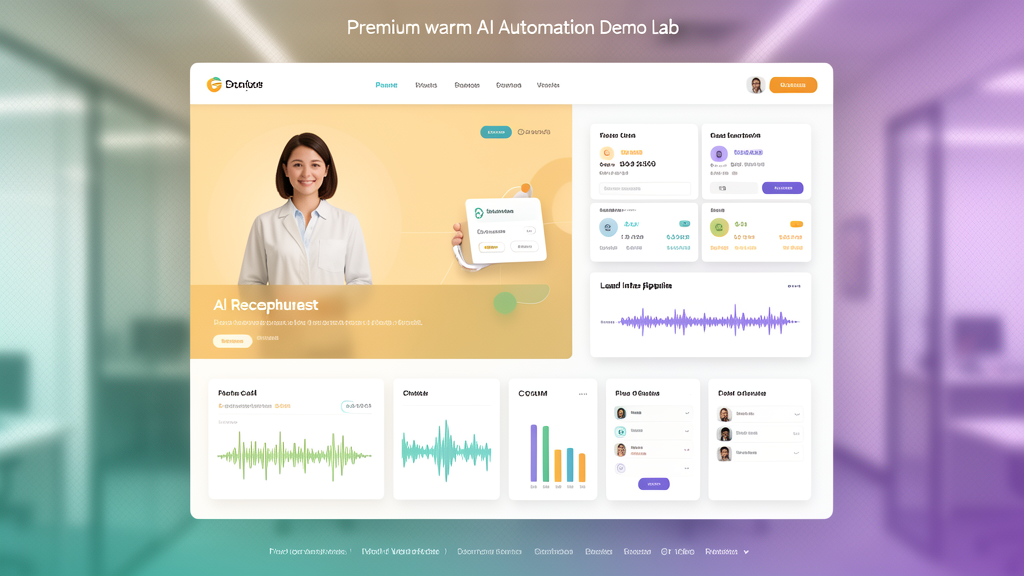
Voice AI sample Lead workflow simulator Client-owned handoff
AI automation demo lab visual
Lead capturedSource, need, urgency, next step
Follow-up queuedEmail + CRM note + callback task
Watch it happen

Phone call in. Workflow out

This short demo shows the exact concept: a customer conversation comes in, AI captures the need, and the business workflow starts filling itself — calendar, CRM, callback task, and follow-up path.

  • AI receptionist captures the conversation
  • Calendar and CRM cards populate automatically
  • Owner gets a cleaner handoff instead of scattered notes
Sample diagnostic PDF

Show prospects what the needs-based diagnostic includes

This polished sample report explains what we check: lead leaks, competitor signals, CRM gaps, phone coverage, website conversion, automation opportunities, and the first workflow worth building.

Competitor snapshot Readiness scorecard Workflow map 30-day build plan
Lead Leak Scan + AI Build PlanReadiness scorecardWorkflow map30-day build pathHigh-resolution PDF
Demo menu

Three demos that sell the idea fast

These are not fake magic tricks. They are simple simulations of the real workflows a business owner can understand in under five minutes.

02

Lead follow-up flow

Shows what happens after a website lead submits: instant reply, CRM note, owner alert, and scheduled follow-up.

Open simulator →
03

AI Ops dashboard

Shows how the owner gets visibility: response time, open tasks, missed-call recovery, and next workflow to improve.

See dashboard →
Interactive simulation

Pick a bottleneck. Watch the AI workflow respond

This mini demo gives prospects the “oh, I get it” moment. It turns abstract AI consulting into a concrete business workflow.

Voice AI Lead Shield
New missed call detected

AI answers, qualifies, and routes the caller

  1. AI receptionist answers with your business rules.
  2. Caller need, urgency, location, and contact details are captured.
  3. Owner receives a clean summary with callback priority.
Sample output

“New HVAC lead. Wants same-day repair. Timing confirmed. Lives near Orlando. Requested callback before 3 PM.”

Voice AI sample

Let prospects hear the receptionist concept

This audio is a lightweight sample generated for the demo page. The real version would use the client's business name, service rules, booking logic, and escalation path.

What the live version can do

  • Answer common intake questions
  • Capture name, phone, email, service need, urgency, and location
  • Summarize the call for staff
  • Create CRM notes and callback tasks
  • Escalate urgent calls to a human
AI Ops view

The owner needs visibility, not another black box

Every demo should show the business outcome: faster response, fewer dropped tasks, cleaner handoffs, and a workflow the client owns.

Response pathUnder 60 secAI reply or routing starts immediately
Lead recordCompleteName, need, source, next step
Staff handoffClearSummary + priority + task owner
Next improvementVisibleMonthly AI Care tuning path
Use this in sales

Best next move: demo page + Lead Leak Scan

Send prospects here first, then offer a short personalized audit. If the pain is real, move them into a diagnostic scoped around their needs.

Call
AI
Calendar
CRM
Task
Santi AI IntakeWorkflow + phone AI guide
Tell me what you want AI to fix first: missed calls, slow follow-up, CRM entry, scheduling, reporting, or customer messages.